
Pump Station Piping – Pipe Diameter and Average Flow Velocity
Calculating the average liquid flow using the internal diameter the average liquid velocity ft./sec can be calculated using flowrate and diameter. Significant changes in the liquid flow due to operational changes can be a limiting factor.
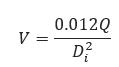
Pipe diameter is based on flow rate (barrels/day) and velocity (ft./sec) in accordance with API recommended practices. Change in inlet pressure can cause cavitation of the pump and create occurrences outside the limits this calculation.
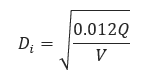
𝑉 − Average Liquid Flow Velocity [ft/sec]
𝑄 − Liquid Flow Rate [bbl/day]
𝐷𝑖 − Internal Pipe Diameter [in]
Input Parameters
- To create a new case, click the “Add Case” button
- Select the Pump Specific Speed application from the Pipeline Pumps module.
- Enter Case Name, Location, Date and any necessary notes.
- Fill out all required fields.
- Make sure the values you are inputting are in the correct units.
- Click the CALCULATE button
- Liquid Flow Rate [bbl/day]
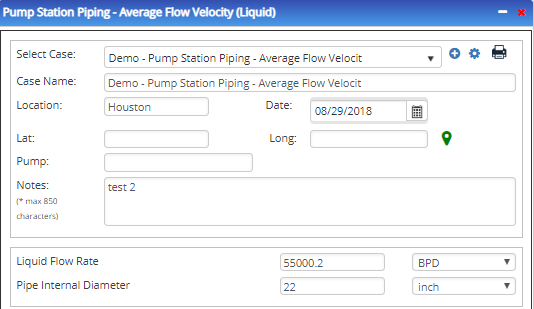
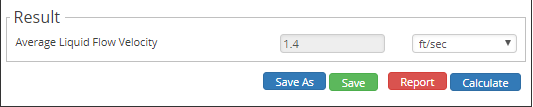
- Average Liquid Flow Velocity
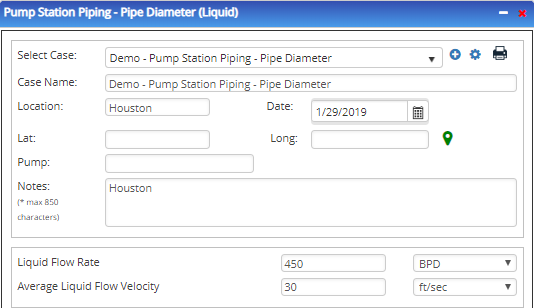
- Pipe Internal Diameter [in]
- Liquid Flow Rate [bbl/day]
Outputs/Reports
- View the results.
- If an input parameter needs to be edited be sure to hit the CALCULATE button after the change.
- To SAVE, fill out all required case details then click the SAVE button.
- To rename an existing file, click the SAVE As button. Provide all case info then click SAVE.
- To generate a REPORT, click the REPORT button.
- The user may export the Case/Report by clicking the Export to Excel/PowerPoint icon.
- To delete a case, click the DELETE icon near the top of the widget.
- Pipe Internal Diameter

- Average Liquid Flow Velocity
Related Links
Table of Contents
Table of Pages
Table of Contents
- Pipeline HUB User Resources
- AC Mitigation PowerTool
- API Inspector's Toolbox
- Horizontal Directional Drilling PowerTool
- Crossings Workflow
- Hydrotest PowerTool
- Pipeline Toolbox
- Encroachment Manager
- PRCI AC Mitigation Toolbox
- PRCI RSTRENG
- RSTRENG+
- Ad-hoc Analysis
- Database Import
- Data Availability Dashboard
- ESRI Map
- Report Builder
- Crossings Workflow
- Hydrotest PowerTool
- Investigative Dig PowerTool
- Hydraulics PowerTool
- External Corrosion Direct Assessment Procedure - RSTRENG
- Canvas
- Definitions
- Pipe Schedule and Specifications Tables